# LangSmith 추적을 설정합니다. https://smith.langchain.com
# .env 파일에 LANGCHAIN_API_KEY를 입력합니다.
# !pip install -qU langchain-teddynote
from langchain_teddynote import logging

# 프로젝트 이름을 입력합니다.
logging.langsmith("CH01-Basic")
OpenAI 사의 채팅 전용 Large Language Model(LLM)이다.
객체를 생성할 때 다양한 옵션 값을 지정할 수 있으며, 각 옵션에 대한 상세 설명은 다음과 같다.
1 주요 파라미터
temperature
- 사용할 샘플링 온도는 0과 2 사이에서 선택한다.
- 0.8과 같은 높은 값은 출력을 더 무작위하고 창의적으로 만든다.
- 0.2와 같은 낮은 값은 출력을 더 집중되고 결정론적으로 만든다.
- 일관된 답변이 필요한 경우 낮은 값을, 창의적인 답변이 필요한 경우 높은 값을 사용한다.
max_tokens
- 채팅 완성에서 생성할 토큰의 최대 개수를 지정한다.
- 토큰은 대략 영어 단어의 3/4 정도에 해당하는 텍스트 단위이다.
- 비용과 응답 속도를 고려하여 적절한 값을 설정해야 한다.
model_name: 적용 가능한 모델 리스트
gpt-4.1: 가장 강력한 추론 능력을 가진 최신 모델
gpt-4.1-mini: 성능과 비용의 균형이 좋은 경량 모델
gpt-4.1-nano: 가장 빠르고 저렴한 모델로 간단한 작업에 적합
o1-mini,o3,o4-mini: 추론 특화 모델로 tier5 계정 이상만 사용 가능하다. $1,000 이상 충전해야 tier5 계정이 된다.
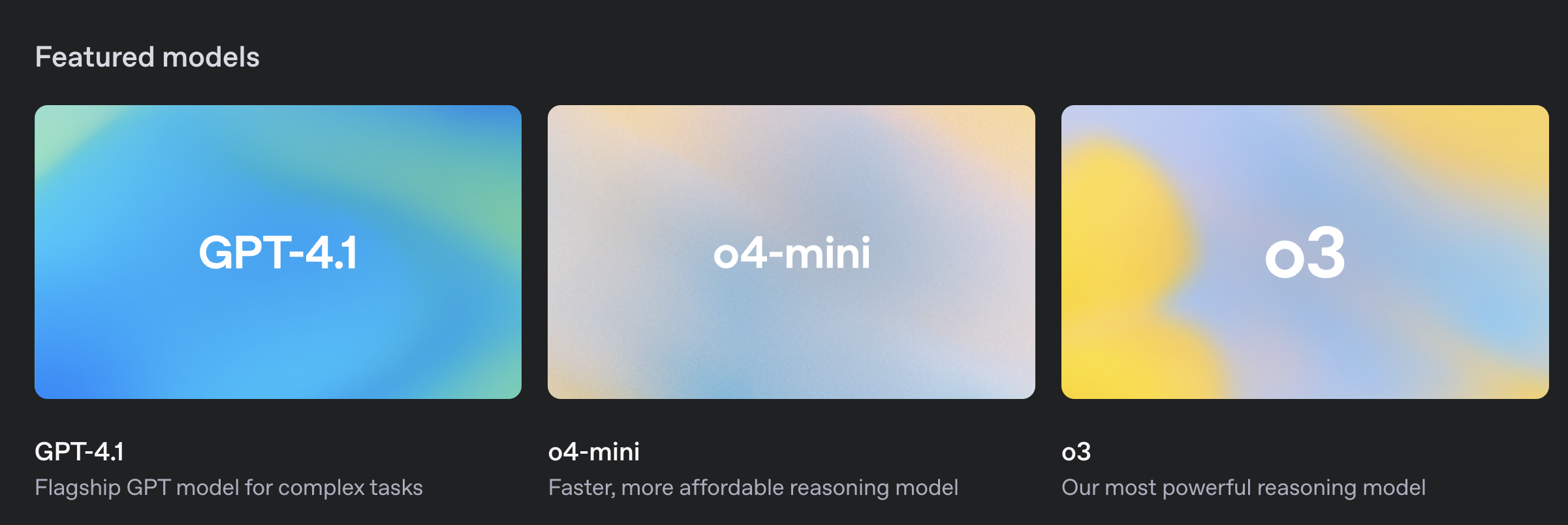
- 링크: https://platform.openai.com/docs/models
from langchain_openai import ChatOpenAI

# 객체 생성
llm = ChatOpenAI(
    temperature=0.1,  # 창의성 (0.0 ~ 2.0)
    model_name="gpt-4.1-nano",  # 모델명
)

# 질의내용
question = "대한민국의 수도는 어디인가요?"

# 질의
print(f"[답변]: {llm.invoke(question)}")
답변의 형식
LangChain의 ChatOpenAI 모델은 AIMessage 객체 형태로 응답을 반환한다.
이 객체는 답변 내용뿐만 아니라 토큰 사용량, 모델 정보 등의 메타데이터를 포함한다.
[답변]: content='대한민국의 수도는 서울입니다. 서울은 대한민국의 정치, 경제, 문화의 중심지로서 많은 인구와 다양한 명소를 자랑하는 도시입니다.' response_metadata={'token_usage': {'completion_tokens': 36, 'prompt_tokens': 16, 'total_tokens': 52}, 'model_name': 'gpt-4o', 'system_fingerprint': 'fp_f4e629d0a5', 'finish_reason': 'stop', 'logprobs': None} id='run-dcda4cfa-3143-4982-b24c-4a25ce0a447e-0' usage_metadata={'input_tokens': 16, 'output_tokens': 36, 'total_tokens': 52}1.1 답변의 형식(AI Message)
AIMessage(content='대한민국의 수도는 서울입니다. 서울은 대한민국의 정치, 경제, 문화의 중심지로서 많은 인구와 다양한 명소를 자랑하는 도시입니다.', response_metadata={'token_usage': {'completion_tokens': 36, 'prompt_tokens': 16, 'total_tokens': 52}, 'model_name': 'gpt-4o', 'system_fingerprint': 'fp_aa87380ac5', 'finish_reason': 'stop', 'logprobs': None}, id='run-3296402a-f47b-4ace-88cd-b74efb7465fb-0', usage_metadata={'input_tokens': 16, 'output_tokens': 36, 'total_tokens': 52})'대한민국의 수도는 서울입니다. 서울은 대한민국의 정치, 경제, 문화의 중심지로서 많은 인구와 다양한 명소를 자랑하는 도시입니다.'{'token_usage': {'completion_tokens': 36, 'prompt_tokens': 16, 'total_tokens': 52}, 'model_name': 'gpt-4o', 'system_fingerprint': 'fp_aa87380ac5', 'finish_reason': 'stop', 'logprobs': None}1.2 LogProb 활성화
LogProb(로그 확률)는 모델이 생성하는 각 토큰의 확률을 로그 스케일로 나타낸 값이다.
기본 개념
- 주어진 텍스트에 대한 모델의 토큰 확률의 로그 값을 의미한다.
- 토큰이란 문장을 구성하는 개별 단어나 문자 등의 요소를 의미한다.
- 확률은 모델이 그 토큰을 예측할 확률을 나타낸다.
- 이 정보는 모델의 확신도를 평가하거나 여러 생성 결과를 비교할 때 유용하다.
LogProb 값의 범위와 의미
LogProb는 확률(0~1)에 자연로그를 취한 값이므로 항상 0 이하의 음수 값을 갖는다.
- 0에 가까운 값 (예: -0.001, -0.01, -0.1)
- 원래 확률이 1에 가까움 (거의 확실함)
- 모델이 해당 토큰을 매우 높은 확신도로 예측함
- 예: logprob = -0.01 → 확률 ≈ 0.99 (99% 확신)
- 원래 확률이 1에 가까움 (거의 확실함)
- 음수 절댓값이 큰 값 (예: -5, -10, -20)
- 원래 확률이 0에 가까움 (매우 불확실함)
- 모델이 해당 토큰을 낮은 확신도로 예측함
- 예: logprob = -5.0 → 확률 ≈ 0.0067 (0.67% 확신)
- 예: logprob = -10.0 → 확률 ≈ 0.000045 (0.0045% 확신)
- 원래 확률이 0에 가까움 (매우 불확실함)
실제 예시 비교
토큰: "서울"
- logprob = -0.0001 → 거의 확실한 예측 (확률 ≈ 99.99%)
- logprob = -2.3    → 보통 수준의 예측 (확률 ≈ 10%)
- logprob = -6.9    → 매우 불확실한 예측 (확률 ≈ 0.1%)
이처럼 LogProb 값을 통해 모델이 각 토큰을 얼마나 확신하는지 정량적으로 평가할 수 있다.
# 객체 생성
llm_with_logprob = ChatOpenAI(
    temperature=0.1,  # 창의성 (0.0 ~ 2.0)
    max_tokens=2048,  # 최대 토큰수
    model_name="gpt-4.1-nano",  # 모델명
).bind(logprobs=True){'token_usage': {'completion_tokens': 15, 'prompt_tokens': 24, 'total_tokens': 39}, 'model_name': 'gpt-3.5-turbo', 'system_fingerprint': None, 'finish_reason': 'stop', 'logprobs': {'content': [{'token': '대', 'bytes': [235, 140, 128], 'logprob': -0.03859115, 'top_logprobs': []}, {'token': '한', 'bytes': [237, 149, 156], 'logprob': -5.5122365e-07, 'top_logprobs': []}, {'token': '\\xeb\\xaf', 'bytes': [235, 175], 'logprob': -2.8160932e-06, 'top_logprobs': []}, {'token': '\\xbc', 'bytes': [188], 'logprob': 0.0, 'top_logprobs': []}, {'token': '\\xea\\xb5', 'bytes': [234, 181], 'logprob': -6.704273e-07, 'top_logprobs': []}, {'token': '\\xad', 'bytes': [173], 'logprob': 0.0, 'top_logprobs': []}, {'token': '의', 'bytes': [236, 157, 152], 'logprob': -6.2729996e-06, 'top_logprobs': []}, {'token': ' 수', 'bytes': [32, 236, 136, 152], 'logprob': -5.5122365e-07, 'top_logprobs': []}, {'token': '도', 'bytes': [235, 143, 132], 'logprob': -5.5122365e-07, 'top_logprobs': []}, {'token': '는', 'bytes': [235, 138, 148], 'logprob': -1.9361265e-07, 'top_logprobs': []}, {'token': ' 서', 'bytes': [32, 236, 132, 156], 'logprob': -5.080963e-06, 'top_logprobs': []}, {'token': '\\xec\\x9a', 'bytes': [236, 154], 'logprob': 0.0, 'top_logprobs': []}, {'token': '\\xb8', 'bytes': [184], 'logprob': 0.0, 'top_logprobs': []}, {'token': '입니다', 'bytes': [236, 158, 133, 235, 139, 136, 235, 139, 164], 'logprob': -0.13815464, 'top_logprobs': []}, {'token': '.', 'bytes': [46], 'logprob': -9.0883464e-07, 'top_logprobs': []}]}}위 결과에서 각 토큰의 logprob 값을 확인할 수 있다.
- '\\xbc', '\\xad' 등의 토큰은 logprob = 0.0으로 거의 확실한 예측이다.
- '입니다' 토큰은 logprob = -0.138로 여전히 높은 확신도를 보인다.
- '대' 토큰은 logprob = -0.039로 매우 확실하게 예측되었다.
1.3 스트리밍 출력
스트리밍 옵션은 질의에 대한 답변을 실시간으로 받을 때 유용하다.
전체 응답이 완료되기 전에 생성되는 토큰을 즉시 확인할 수 있어 사용자 경험이 향상된다.
긴 답변을 생성하는 경우 특히 효과적이며, ChatGPT 웹 인터페이스와 같은 경험을 제공한다.
물론입니다! 대한민국에는 아름다운 관광지가 많이 있습니다. 다음은 그 중 10곳과 그 주소입니다:
1. **경복궁**
- 주소: 서울특별시 종로구 사직로 161
2. **부산 해운대 해수욕장**
- 주소: 부산광역시 해운대구 우동
3. **제주도 한라산 국립공원**
- 주소: 제주특별자치도 제주시 1100로 2070-61
4. **경주 불국사**
- 주소: 경상북도 경주시 불국로 385
5. **설악산 국립공원**
- 주소: 강원도 속초시 설악산로 833
6. **남이섬**
- 주소: 강원도 춘천시 남산면 남이섬길 1
7. **안동 하회마을**
- 주소: 경상북도 안동시 풍천면 하회종가길 40
8. **전주 한옥마을**
- 주소: 전라북도 전주시 완산구 기린대로 99
9. **서울 남산타워 (N서울타워)**
- 주소: 서울특별시 용산구 남산공원길 105
10. **보성 녹차밭 대한다원**
- 주소: 전라남도 보성군 보성읍 녹차로 763-67
이 관광지들은 각기 다른 매력을 가지고 있어 다양한 경험을 할 수 있습니다. 즐거운 여행 되세요!from langchain_teddynote.messages import stream_response
# 스트림 방식으로 질의
# answer 에 스트리밍 답변의 결과를 받습니다.
answer = llm.stream("대한민국의 아름다운 관광지 10곳과 주소를 알려주세요!")
stream_response(answer)물론입니다! 대한민국에는 아름다운 관광지가 많이 있습니다. 다음은 그 중 10곳과 그 주소입니다:
1. **경복궁**
- 주소: 서울특별시 종로구 사직로 161
2. **부산 해운대 해수욕장**
- 주소: 부산광역시 해운대구 우동
3. **제주도 한라산 국립공원**
- 주소: 제주특별자치도 제주시 1100로 2070-61
4. **경주 불국사**
- 주소: 경상북도 경주시 불국로 385
5. **설악산 국립공원**
- 주소: 강원도 속초시 설악산로 833
6. **남이섬**
- 주소: 강원도 춘천시 남산면 남이섬길 1
7. **전주 한옥마을**
- 주소: 전라북도 전주시 완산구 기린대로 99
8. **안동 하회마을**
- 주소: 경상북도 안동시 풍천면 하회종가길 40
9. **서울 남산타워 (N서울타워)**
- 주소: 서울특별시 용산구 남산공원길 105
10. **순천만 국가정원**
- 주소: 전라남도 순천시 국가정원1호길 47
참고 링크: https://platform.openai.com/docs/guides/prompt-caching
프롬프트 캐싱 기능을 활용하면 반복적으로 동일하게 입력되는 토큰에 대한 비용을 절감할 수 있다.
OpenAI는 동일한 프롬프트를 최근에 처리한 서버로 API 요청을 라우팅하여 처리 속도를 높이고 비용을 낮춘다.
이를 통해 긴 프롬프트의 경우 지연 시간을 최대 80%, 비용을 50%까지 절감할 수 있다.
### 캐싱 최적화 전략
캐싱에 활용할 토큰은 고정된 PREFIX를 주는 것이 권장된다.
정적 콘텐츠(시스템 프롬프트, 공통 지침 등)는 프롬프트 앞부분에 배치하고, 가변적인 콘텐츠(사용자별 정보)는 뒷부분에 배치해야 한다.
캐시 히트는 정확한 접두사 일치가 있을 때만 발생하므로 프롬프트 구조화가 중요하다.
아래의 예시에서는 `<WANT_TO_CACHE_HERE>` 부분에 고정된 토큰을 주어 캐싱을 활용하는 방법을 설명한다.
프롬프트 캐싱 기능을 활용하면 반복하여 동일하게 입력으로 들어가는 토큰에 대한 비용을 아낄 수 있습니다.
다만, 캐싱에 활용할 토큰은 고정된 PREFIX 를 주는 것이 권장됩니다.
아래의 예시에서는 `<PROMPT_CACHING>` 부분에 고정된 토큰을 주어 캐싱을 활용하는 방법을 설명합니다.
```python
from langchain_teddynote.messages import stream_response
very_long_prompt = """
당신은 매우 친절한 AI 어시스턴트 입니다.
당신의 임무는 주어진 질문에 대해 친절하게 답변하는 것입니다.
아래는 사용자의 질문에 답변할 때 참고할 수 있는 정보입니다.
주어진 정보를 참고하여 답변해 주세요.
<WANT_TO_CACHE_HERE>
#참고:
**Prompt Caching**
Model prompts often contain repetitive content, like system prompts and common instructions. OpenAI routes API requests to servers that recently processed the same prompt, making it cheaper and faster than processing a prompt from scratch. This can reduce latency by up to 80% and cost by 50% for long prompts. Prompt Caching works automatically on all your API requests (no code changes required) and has no additional fees associated with it.
Prompt Caching is enabled for the following models:
gpt-4.1 (excludes gpt-4.1-2024-05-13 and chatgpt-4.1-latest)
gpt-4.1-mini
o1-preview
o1-mini
This guide describes how prompt caching works in detail, so that you can optimize your prompts for lower latency and cost.
Structuring prompts
Cache hits are only possible for exact prefix matches within a prompt. To realize caching benefits, place static content like instructions and examples at the beginning of your prompt, and put variable content, such as user-specific information, at the end. This also applies to images and tools, which must be identical between requests.
How it works
Caching is enabled automatically for prompts that are 1024 tokens or longer. When you make an API request, the following steps occur:
Cache Lookup: The system checks if the initial portion (prefix) of your prompt is stored in the cache.
Cache Hit: If a matching prefix is found, the system uses the cached result. This significantly decreases latency and reduces costs.
Cache Miss: If no matching prefix is found, the system processes your full prompt. After processing, the prefix of your prompt is cached for future requests.
Cached prefixes generally remain active for 5 to 10 minutes of inactivity. However, during off-peak periods, caches may persist for up to one hour.
Requirements
Caching is available for prompts containing 1024 tokens or more, with cache hits occurring in increments of 128 tokens. Therefore, the number of cached tokens in a request will always fall within the following sequence: 1024, 1152, 1280, 1408, and so on, depending on the prompt's length.
All requests, including those with fewer than 1024 tokens, will display a cached_tokens field of the usage.prompt_tokens_details chat completions object indicating how many of the prompt tokens were a cache hit. For requests under 1024 tokens, cached_tokens will be zero.
What can be cached
Messages: The complete messages array, encompassing system, user, and assistant interactions.
Images: Images included in user messages, either as links or as base64-encoded data, as well as multiple images can be sent. Ensure the detail parameter is set identically, as it impacts image tokenization.
Tool use: Both the messages array and the list of available tools can be cached, contributing to the minimum 1024 token requirement.
Structured outputs: The structured output schema serves as a prefix to the system message and can be cached.
Best practices
Structure prompts with static or repeated content at the beginning and dynamic content at the end.
Monitor metrics such as cache hit rates, latency, and the percentage of tokens cached to optimize your prompt and caching strategy.
To increase cache hits, use longer prompts and make API requests during off-peak hours, as cache evictions are more frequent during peak times.
Prompts that haven't been used recently are automatically removed from the cache. To minimize evictions, maintain a consistent stream of requests with the same prompt prefix.
Frequently asked questions
How is data privacy maintained for caches?
Prompt caches are not shared between organizations. Only members of the same organization can access caches of identical prompts.
Does Prompt Caching affect output token generation or the final response of the API?
Prompt Caching does not influence the generation of output tokens or the final response provided by the API. Regardless of whether caching is used, the output generated will be identical. This is because only the prompt itself is cached, while the actual response is computed anew each time based on the cached prompt.
Is there a way to manually clear the cache?
Manual cache clearing is not currently available. Prompts that have not been encountered recently are automatically cleared from the cache. Typical cache evictions occur after 5-10 minutes of inactivity, though sometimes lasting up to a maximum of one hour during off-peak periods.
Will I be expected to pay extra for writing to Prompt Caching?
No. Caching happens automatically, with no explicit action needed or extra cost paid to use the caching feature.
Do cached prompts contribute to TPM rate limits?
Yes, as caching does not affect rate limits.
Is discounting for Prompt Caching available on Scale Tier and the Batch API?
Discounting for Prompt Caching is not available on the Batch API but is available on Scale Tier. With Scale Tier, any tokens that are spilled over to the shared API will also be eligible for caching.
Does Prompt Caching work on Zero Data Retention requests?
Yes, Prompt Caching is compliant with existing Zero Data Retention policies.
</WANT_TO_CACHE_HERE>
#Question:
{}
"""from langchain.callbacks import get_openai_callback
with get_openai_callback() as cb:
# 답변 요청
answer = llm.invoke(
very_long_prompt.format("프롬프트 캐싱 기능에 대해 2문장으로 설명하세요")
)
print(cb)
# 캐싱된 토큰 출력
cached_tokens = answer.response_metadata["token_usage"]["prompt_tokens_details"][
"cached_tokens"
]
print(f"캐싱된 토큰: {cached_tokens}")with get_openai_callback() as cb:
# 답변 요청
answer = llm.invoke(
(Multimodal)은 여러 가지 형태의 정보(모달)를 통합하여 처리하는 기술이나 접근 방식을 의미한다.
이는 인간의 감각기관이 다양한 정보를 동시에 처리하는 것과 유사한 방식으로 작동한다.
### 지원하는 데이터 유형
- **텍스트**: 문서, 책, 웹 페이지 등의 글자로 된 정보
- **이미지**: 사진, 그래픽, 그림, 차트 등 시각적 정보
- **오디오**: 음성, 음악, 소리 효과 등의 청각적 정보
- **비디오**: 동영상 클립, 실시간 스트리밍 등 시각적 및 청각적 정보의 결합
`gpt-4.1` 모델은 Vision 기능이 추가되어 이미지를 인식하고 분석할 수 있다.
이를 통해 이미지 속의 객체, 텍스트, 장면을 이해하고 관련 질문에 답변할 수 있다. 2 멀티모달 모델(이미지 인식)
멀티모달은 여러 가지 형태의 정보(모달)를 통합하여 처리하는 기술이나 접근 방식을 의미합니다. 이는 다음과 같은 다양한 데이터 유형을 포함할 수 있습니다.
- 텍스트: 문서, 책, 웹 페이지 등의 글자로 된 정보
- 이미지: 사진, 그래픽, 그림 등 시각적 정보
- 오디오: 음성, 음악, 소리 효과 등의 청각적 정보
- 비디오: 동영상 클립, 실시간 스트리밍 등 시각적 및 청각적 정보의 결합
gpt-4.1 모델은 이미지 인식 기능(Vision) 이 추가되어 있는 모델입니다.
from langchain_teddynote.models import MultiModal
from langchain_teddynote.messages import stream_response

# 객체 생성
llm = ChatOpenAI(
    temperature=0.1,  # 창의성 (0.0 ~ 2.0)
    model_name="gpt-4.1-nano",  # 모델명
)

# 멀티모달 객체 생성
multimodal_llm = MultiModal(llm)
# 샘플 이미지 주소(웹사이트로 부터 바로 인식)
IMAGE_URL = "https://t3.ftcdn.net/jpg/03/77/33/96/360_F_377339633_Rtv9I77sSmSNcev8bEcnVxTHrXB4nRJ5.jpg"
# 이미지 파일로 부터 질의
answer = multimodal_llm.stream(IMAGE_URL)
# 스트리밍 방식으로 각 토큰을 출력합니다. (실시간 출력)
stream_response(answer)이 이미지는 표 형식의 데이터 테이블을 보여줍니다. 테이블의 제목은 "TABLE 001: LOREM IPSUM DOLOR AMIS ENIMA ACCUMER TUNA"입니다. 테이블은 다섯 개의 열과 여덟 개의 행으로 구성되어 있습니다.
열 제목은 다음과 같습니다:
1. Loremis
2. Amis terim
3. Gato lepis
4. Tortores
각 행의 데이터는 다음과 같습니다:
1. Lorem dolor siamet: 8,288, 123%, YES, $89
2. Consecter odio: 123, 87%, NO, $129
3. Gatoque accums: 1,005, 12%, NO, $199
4. Sed hac enim rem: 56, 69%, N/A, $199
5. Rempus tortor just: 5,554, 18%, NO, $999
6. Klimas nsecter: 455, 56%, NO, $245
7. Babiask atque accu: 1,222, 2%, YES, $977
8. Enim rem kos: 5,002, 91%, N/A, $522
표 하단에는 작은 글씨로 Lorem ipsum 텍스트가 포함되어 있습니다.# 로컬 PC 에 저장되어 있는 이미지의 경로 입력
IMAGE_PATH_FROM_FILE = "./images/sample-image.png"
# 이미지 파일로 부터 질의(스트림 방식)
answer = multimodal_llm.stream(IMAGE_PATH_FROM_FILE)
# 스트리밍 방식으로 각 토큰을 출력합니다. (실시간 출력)
stream_response(answer)이미지 설명 대체 텍스트:
이미지에는 "FIRST OPENAI DEVDAY EVENT"라는 제목이 상단에 크게 표시되어 있습니다. 이벤트 날짜는 2023년 11월 6일입니다. 주요 업데이트 항목으로는 GPT 4 Turbo, 128k Tokens, Custom GPTs, Assistant API, Price Reduction이 나열되어 있습니다.
이미지 왼쪽 상단에는 "ASTRA TECHZ" 로고가 있습니다.
이미지 중앙에는 "MAIN UPDATES SUMMARISED"라는 제목 아래 주요 업데이트 내용이 요약되어 있습니다. 각 항목 옆에는 체크 표시가 있으며, 세부 내용은 다음과 같습니다:
- Token Length: 128K
- Custom GPTs: Private or Public
- Multi Modal: Img, Video, Voice
- JSON Mode: Guaranteed
- Assistant API: Developers
- Text 2 Speech: Beta Release
- Natural Voice Options: 6 Voices
멀티모달 모델에 특정한 역할과 지시사항을 부여할 수 있다.
system_prompt는 AI의 역할과 행동 방식을 정의하고, user_prompt는 구체적인 작업 지시를 제공한다.
이를 통해 특정 도메인(예: 금융, 의료, 법률)에 특화된 응답을 얻을 수 있다.
```python
system_prompt = """당신은 표(재무제표)를 해석하는 금융 AI 어시스턴트이다.
당신의 임무는 주어진 테이블 형식의 재무제표를 바탕으로 흥미로운 사실을 정리하여 명확하게 답변하는 것이다."""
user_prompt = """당신에게 주어진 표는 회사의 재무제표이다. 주요 재무 지표의 변화와 흥미로운 사실을 정리하여 답변하라
- Function Calling: Built In
이미지 하단에는 "visit www.astratechz.com to build AI solutions"라는 문구가 있습니다.3 System, User 프롬프트 수정
system_prompt = """당신은 표(재무제표) 를 해석하는 금융 AI 어시스턴트 입니다.
당신의 임무는 주어진 테이블 형식의 재무제표를 바탕으로 흥미로운 사실을 정리하여 친절하게 답변하는 것입니다."""

user_prompt = """당신에게 주어진 표는 회사의 재무제표 입니다. 흥미로운 사실을 정리하여 답변하세요."""

# 멀티모달 객체 생성
multimodal_llm_with_prompt = MultiModal(
    llm, system_prompt=system_prompt, user_prompt=user_prompt
)
# 로컬 PC 에 저장되어 있는 이미지의 경로 입력
IMAGE_PATH_FROM_FILE = "https://storage.googleapis.com/static.fastcampus.co.kr/prod/uploads/202212/080345-661/kwon-01.png"
# 이미지 파일로 부터 질의(스트림 방식)
answer = multimodal_llm_with_prompt.stream(IMAGE_PATH_FROM_FILE)
# 스트리밍 방식으로 각 토큰을 출력합니다. (실시간 출력)
stream_response(answer)주어진 재무제표를 바탕으로 몇 가지 흥미로운 사실을 정리해 보았습니다:
1. **유동자산의 변화**:
- 제 19기(2019년) 유동자산은 8,349,633백만원으로, 제 18기(2018년) 8,602,837백만원에 비해 감소하였습니다.
- 특히 현금 및 현금성 자산이 제 18기 1,690,862백만원에서 제 19기 1,002,263백만원으로 크게 감소하였습니다.
2. **매출채권**:
- 매출채권은 제 18기 4,004,920백만원에서 제 19기 3,981,935백만원으로 소폭 감소하였습니다.
3. **기타수취채권**:
- 기타수취채권은 제 18기 321,866백만원에서 제 19기 366,141백만원으로 증가하였습니다.
4. **비유동자산의 증가**:
- 비유동자산은 제 18기 15,127,741백만원에서 제 19기 18,677,453백만원으로 크게 증가하였습니다.
- 특히, 재고자산이 제 18기 2,426,364백만원에서 제 19기 2,670,294백만원으로 증가하였습니다.
5. **기타유동자산**:
- 기타유동자산은 제 18기 156,538백만원에서 제 19기 207,596백만원으로 증가하였습니다.
6. **기타장기수취채권**:
- 기타장기수취채권은 제 18기 118,086백만원에서 제 19기 505,489백만원으로 크게 증가하였습니다.
이러한 변화들은 회사의 자산 구조와 재무 상태에 중요한 영향을 미칠 수 있으며, 특히 현금성 자산의 감소와 비유동자산의 증가가 눈에 띕니다. 이는 회사의 유동성 관리와 장기 투자 전략에 대한 추가적인 분석이 필요함을 시사합니다.